
As Merchant of Record, Pandabase moves the refund through the card network on your behalf. The customer is credited, and the refunded amount is deducted from your store’s available balance.Documentation Index
Fetch the complete documentation index at: https://docs.pandabase.io/llms.txt
Use this file to discover all available pages before exploring further.
When you can refund
You can refund any payment inCompleted status, up to 30 days from the original charge. After that, refunds aren’t available.
Payments with an open dispute can’t be refunded — handle those through the dispute flow instead.
Issuing a refund
Open the payment from the Payments page and click Issue Refund in the top right. Pick a reason and confirm: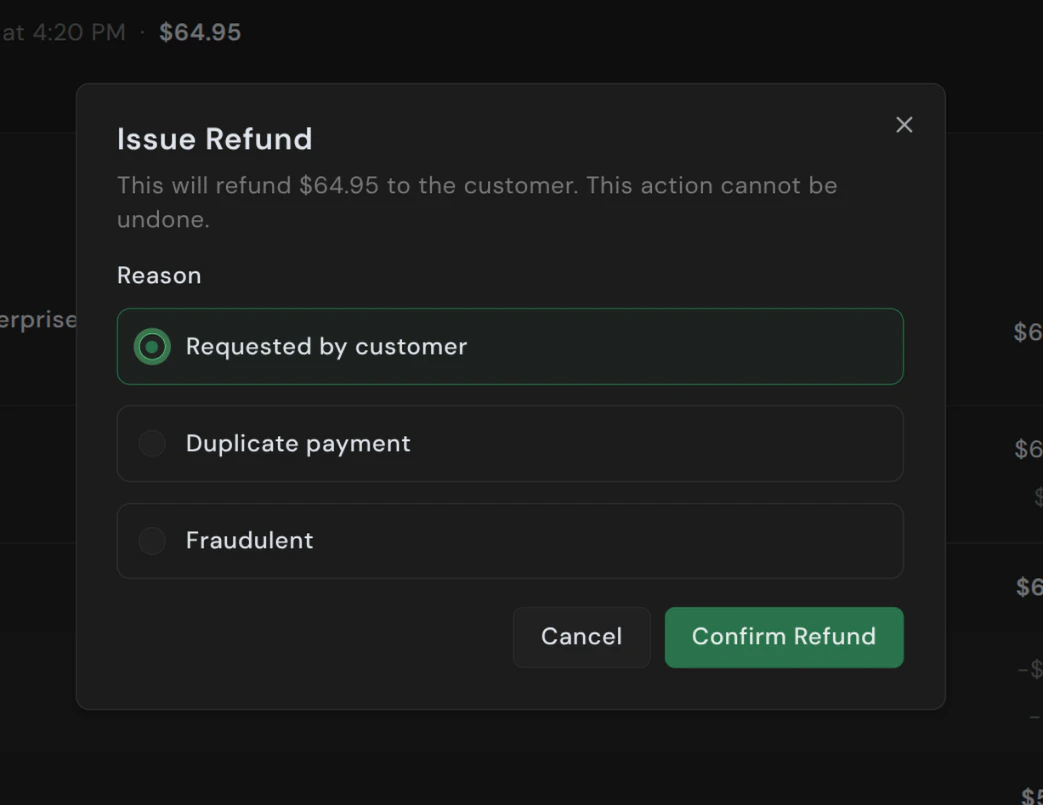
| Reason | Use when |
|---|---|
| Requested by customer | Customer asked for their money back. Most common. |
| Duplicate payment | The customer was charged twice for the same order. |
| Fraudulent | You believe the original payment was fraudulent. Flags the order for us. |
Full refunds only
Only full refunds are supported. Refunding a payment returns the entire captured amount — partial refunds aren’t available. The order moves toRefunded, coupon usage is restored, the subscription (if any) is cancelled, and fulfillment is revoked.
Fees
The original processing and platform fees are both non-refundable when you issue a refund.| Charge type | Refundable? |
|---|---|
| Sale amount | Yes |
| Tax collected | Yes (we remit the adjusted amount) |
| Platform fee | No — retained by Pandabase |
| Processing fee | No — retained by the network |
Effect on fulfillment
- License keys — pool entries are returned to your inventory; managed and webhook-issued licenses are revoked if you enabled “revoke on refund” on the product.
- Digital downloads & redirects — access is not automatically removed. If you serve files yourself, revoke on your end.
- Subscriptions — the underlying subscription is cancelled immediately.