
A case is a support ticket opened by a customer against a completed order. Cases are how customers reach you when something’s wrong with a purchase — license not delivered, download broken, subscription not working, refund question. Customers open cases from the Pandabase customer portal at mypandabase.com on any of their completed orders. You receive an email and a dashboard notification as soon as one is opened.Documentation Index
Fetch the complete documentation index at: https://docs.pandabase.io/llms.txt
Use this file to discover all available pages before exploring further.
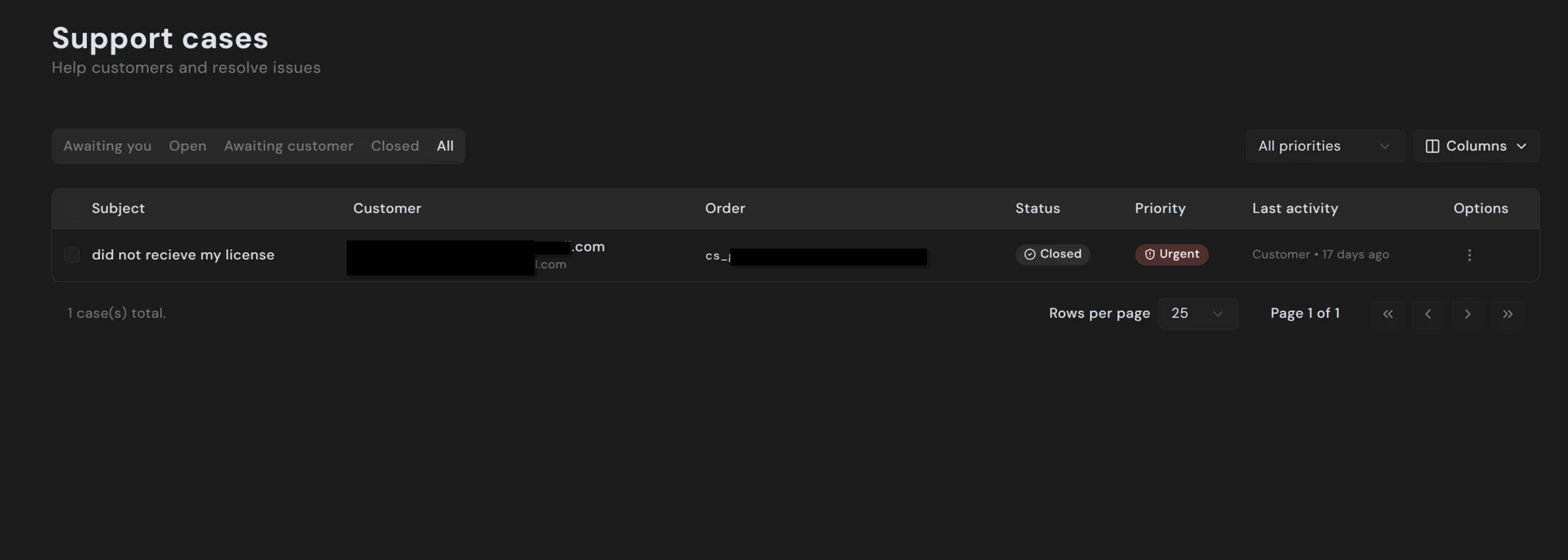
States
| State | Meaning |
|---|---|
| Awaiting you | Customer has replied and is waiting for your response. |
| Open | Case is active. Either side may reply next. |
| Awaiting customer | You’ve replied; waiting for the customer to come back. |
| Closed | Case is resolved. Either party can reopen. |
Priority
Each case has a priority — Low, Normal, High, or Urgent. Customers set the initial priority when they open the case; you can change it from the dropdown at the top of the detail view. Priority is purely a triage aid. It doesn’t affect SLAs or visibility to customers.Replying
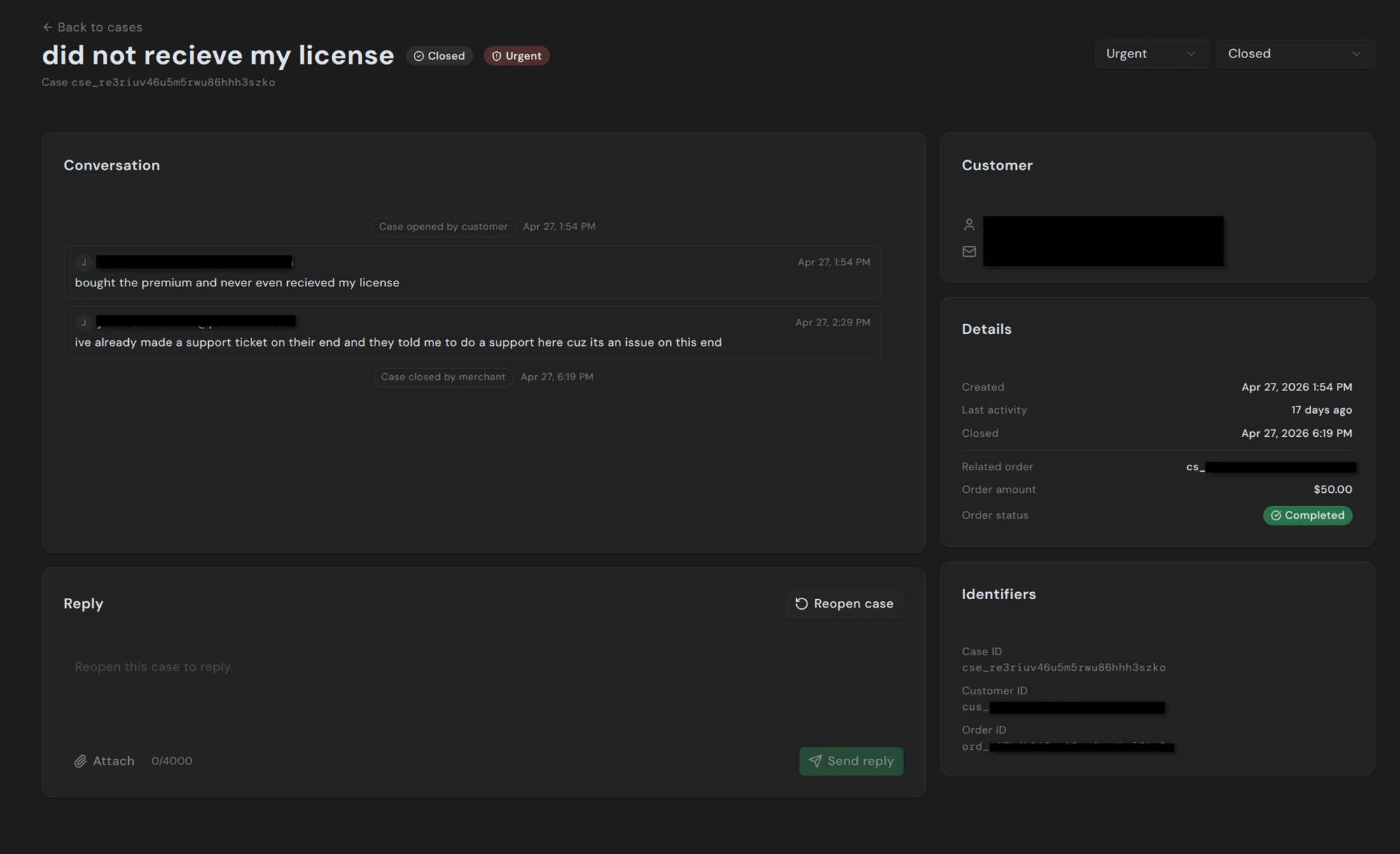
image/*), PDF, plain text, and ZIP archives.
Sending a reply automatically:
- Emails the customer with your message
- Moves the case to Awaiting customer
- Updates the timeline
Closing and reopening
Use the Status dropdown at the top of the detail view to close a case once it’s resolved. Closed cases stay searchable and can be reopened by either party — clicking Reopen case from the dashboard, or the customer replying from the portal.Auto-close
Cases that sit in Awaiting customer without activity automatically close after a configurable idle period (default 14 days). The customer is emailed beforehand so they can reply if they still need help.Auto-reply
You can configure an auto-reply that fires when a customer opens a new case — useful for setting expectations on response time or pointing customers to known-issue documentation. Configure under Settings → Cases.Pandabase support intervention
For cases that need platform oversight — disputes, refund disagreements, fraud claims — Pandabase support can join the conversation directly. Staff messages are visible to both you and the customer, and are clearly branded as Pandabase Support so there’s no confusion about who’s speaking. You don’t need to invite us. We intervene when our automated signals (dispute risk, EFW match, repeated unresolved cases) suggest it would help.Attachments
Customers can attach files to their messages too — most commonly screenshots of an error or the receipt they received. Attachments use short-lived URLs and aren’t publicly indexable. The allowlist is the same as your replies:image/*, application/pdf, text/plain, application/zip.
Programmatic access
Cases are exposed via the Store API under theCASES_READ and CASES_WRITE token scopes, and through the Pandabase MCP server. List, fetch, reply, mark read, and update status — all available without the dashboard.