
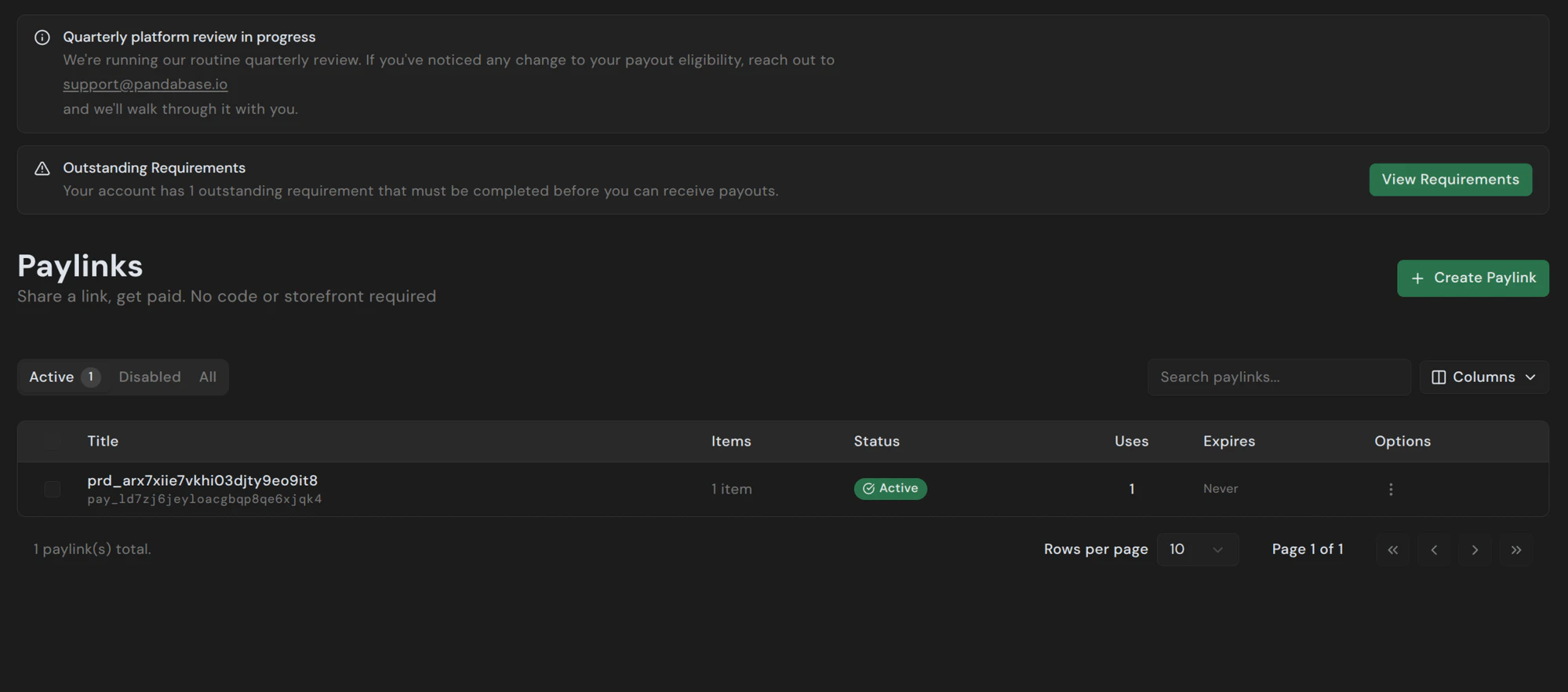
A Paylink is a static, shareable checkout URL. Send it in an email, DM, invoice, or post it anywhere — anyone with the link can pay without signing in or going through your storefront. Open the Paylinks page from the dashboard sidebar to see active links, disabled ones, and a full history.Documentation Index
Fetch the complete documentation index at: https://docs.pandabase.io/llms.txt
Use this file to discover all available pages before exploring further.
Creating a Paylink
Click + Create Paylink in the top right and fill in: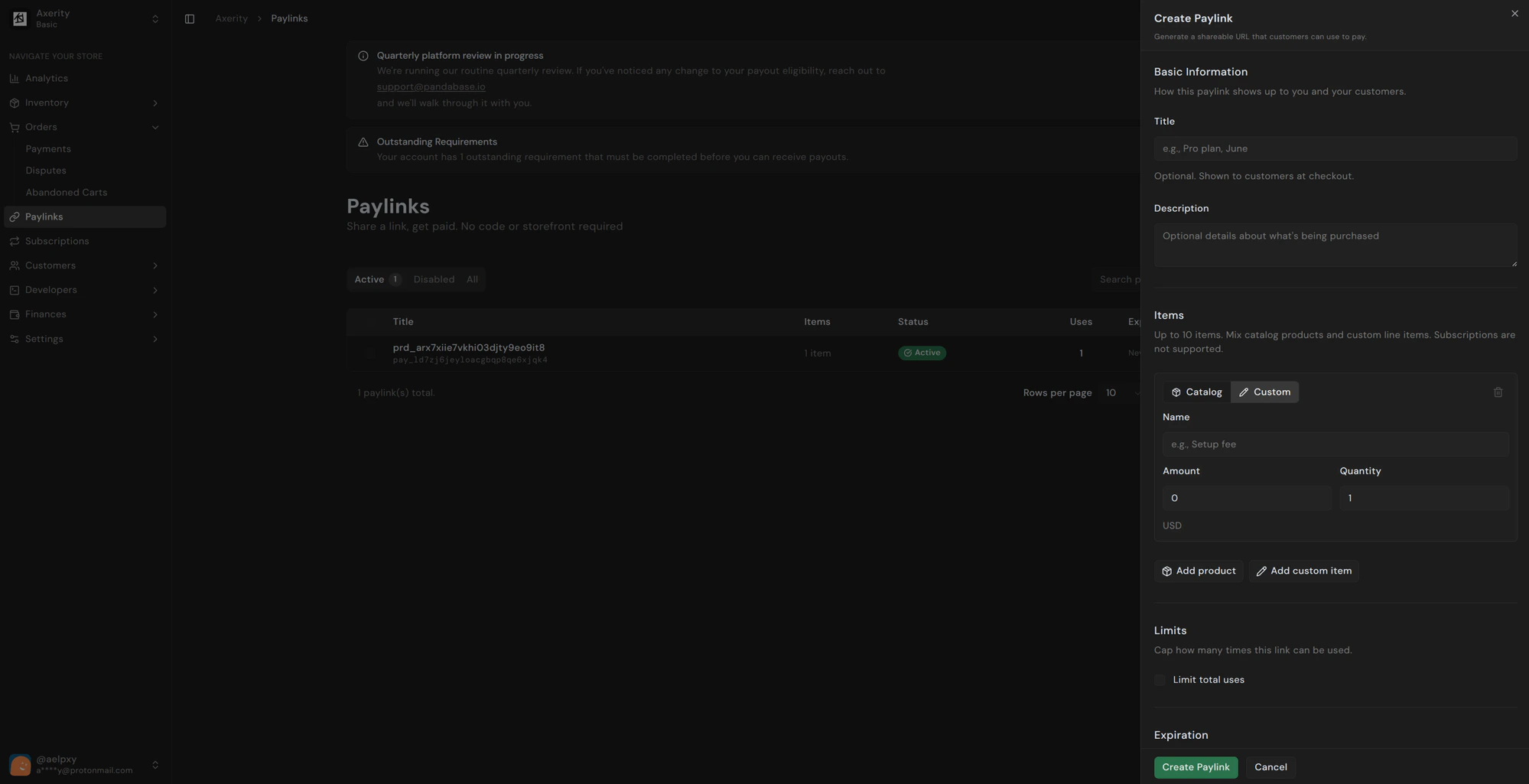
Basic information
- Title (optional) — shown to customers at checkout. Examples:
Pro plan, June,Setup fee,Invoice #1042. - Description (optional) — extra detail about what’s being purchased.
Items
Up to 10 items per link. Mix catalog products and custom line items in the same Paylink.| Type | Use for |
|---|---|
| Catalog | Existing products from your store. Pulled live, including price and stock. |
| Custom | Ad-hoc charges. Set a name, amount, and quantity directly on the link. |
Subscription products aren’t supported in Paylinks. Use a regular checkout for recurring billing.
Limits
Cap how many times the link can be used. Once the total usage limit is hit, the Paylink stops accepting new payments and any open checkout sessions can no longer be completed. Leave the toggle off for unlimited uses.Expiration
Set a date when the link should stop working. After expiry, the link returns a checkout-closed page to anyone who visits. Leave blank for no expiry — the link works until you disable it manually.Sharing
Once created, the Paylink gets a permanent URL likehttps://pay.pandabase.io/pay_ld7zj6jeyloacgbqp8qe6xjqk4. Copy it from the row’s Options menu or the detail view.
Customers don’t need an account. They land on a hosted checkout page, pay, and receive a receipt by email. The order shows up in your Payments page like any other sale.
Managing existing Paylinks
The list view shows each link’s title, item count, status, total uses, and expiry. Filters at the top let you switch between Active, Disabled, and All. From the row’s options menu you can:- Copy URL — grab the link.
- Disable — stop accepting new payments immediately. Existing checkout sessions can still complete.
- Re-enable — reactivate a previously disabled link.
- Delete — permanent. Existing orders are kept; the URL stops working.
What customers see
The hosted checkout page shows your store name, the Paylink title, line items, and total. It supports every payment method available in the customer’s country — cards, Apple Pay, Google Pay, plus local methods like iDEAL, PIX, UPI, and so on. Customers can apply coupons at checkout if your store has any active.Limits
- 10 items per Paylink.
- $0.01 minimum per custom item.
- $1.00 minimum total per checkout.
- No subscriptions. Use a regular checkout flow for recurring products.