
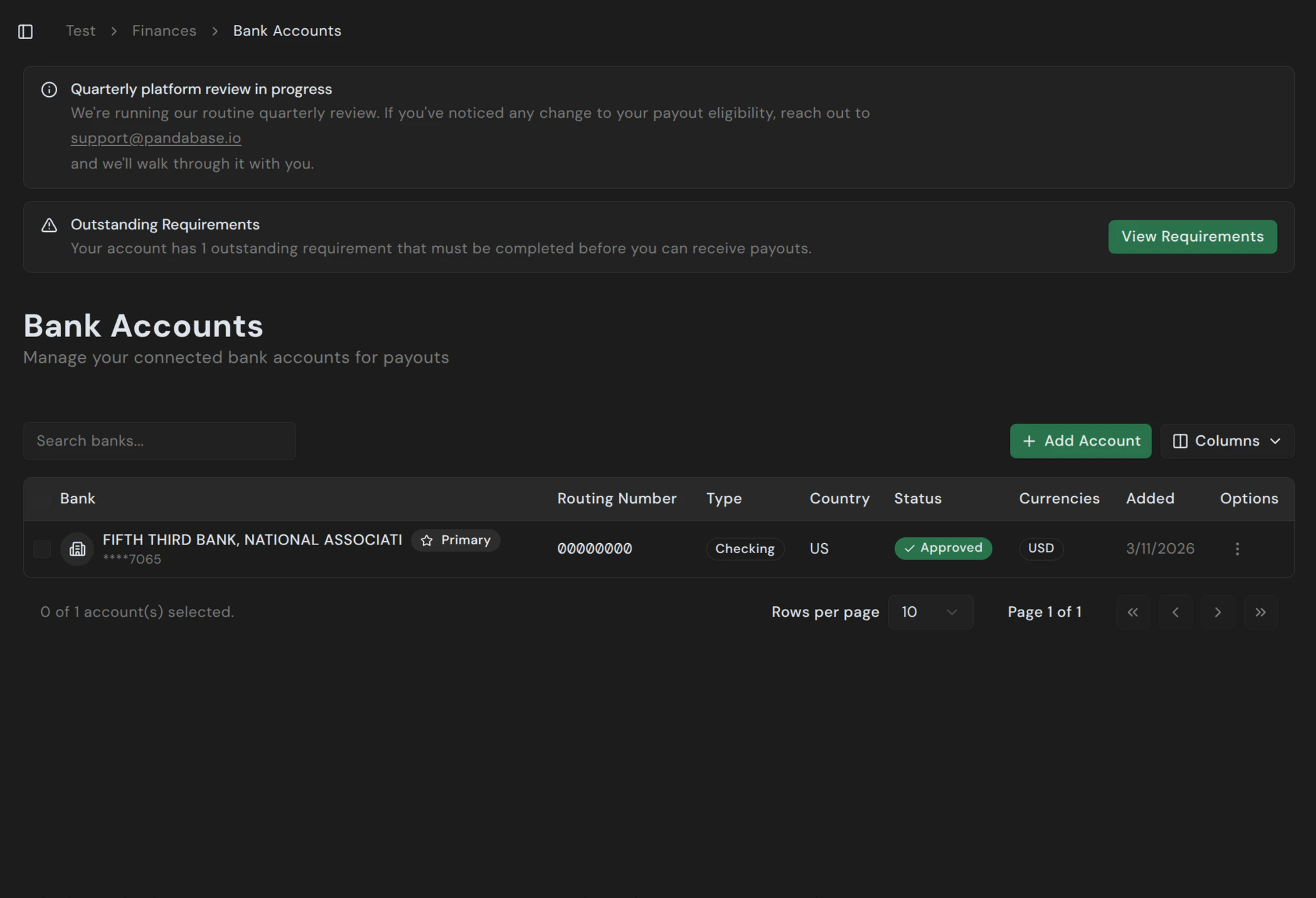
Pandabase pays out to the bank accounts you connect under Finances → Bank Accounts. You can have multiple accounts on file and mark one as Primary to use by default.Documentation Index
Fetch the complete documentation index at: https://docs.pandabase.io/llms.txt
Use this file to discover all available pages before exploring further.
Adding an account
Click + Add Account and fill in your bank details. The form adapts to your store’s country — US merchants enter an ABA routing number; UK accounts use sort codes; EU/EEA accounts use IBANs; and so on.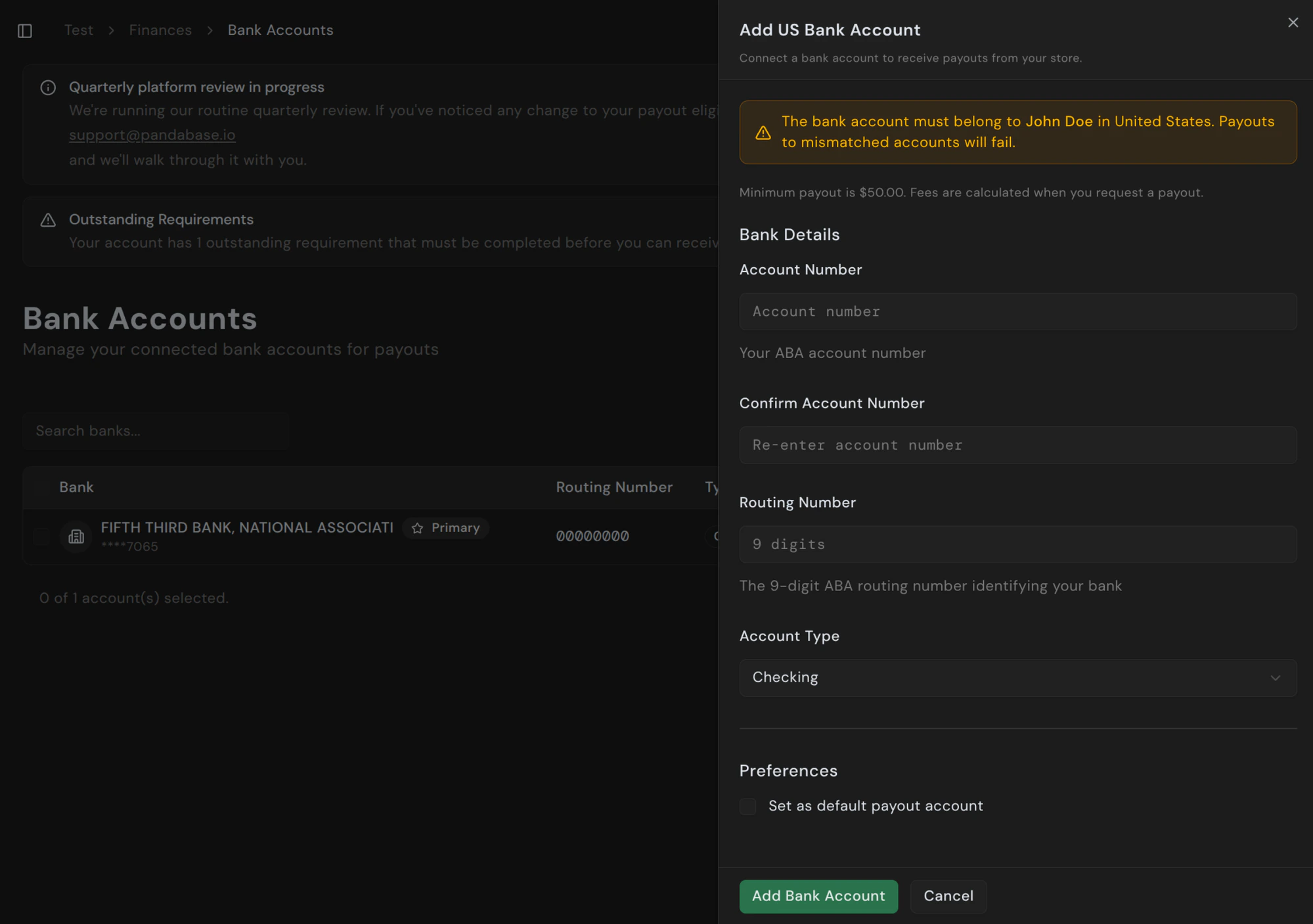
Fields by country
| Country | What you need |
|---|---|
| US | Account number, 9-digit ABA routing number, account type |
| UK | Account number, 6-digit sort code |
| EU / EEA | IBAN |
| Canada | Account number, transit number, institution number |
| Singapore | Account number, bank code, branch code |
| Turkiye | IBAN, SWIFT/BIC code |
| Other | IBAN or local equivalent — SWIFT for international rails |
Verification
New accounts enter an In Review state for 2 to 3 business days while we verify the details with your bank and run compliance checks. You can’t request payouts to an account during the review. Once approved, the status changes to Approved and the account is eligible to receive payouts.First payout waiting period
Your first payout to any newly approved account has a 7 to 14 day waiting period before settlement. This is a risk-mitigation hold and applies every time you connect a new account, including replacement accounts.Managing existing accounts
From the row’s options menu you can:- Set as primary — promote a different account to default.
- Edit — update non-identifying fields (label, preferences). Account/routing numbers can’t be edited; remove and re-add to change them.
- Remove — disconnect the account. Pending payouts to that account aren’t affected; new requests can’t target it.