
Refunds
Issue refunds from your dashboard.
As merchant of record, Pandabase processes refunds through the card network on your behalf. The customer is credited, and the refunded amount is deducted from your store's available balance.
When you can refund
You can refund any payment in Completed status, up to 30 days from the original charge. After that, refunds aren't available.
Payments with an open dispute can't be refunded — handle those through the dispute flow instead.
Issuing a refund
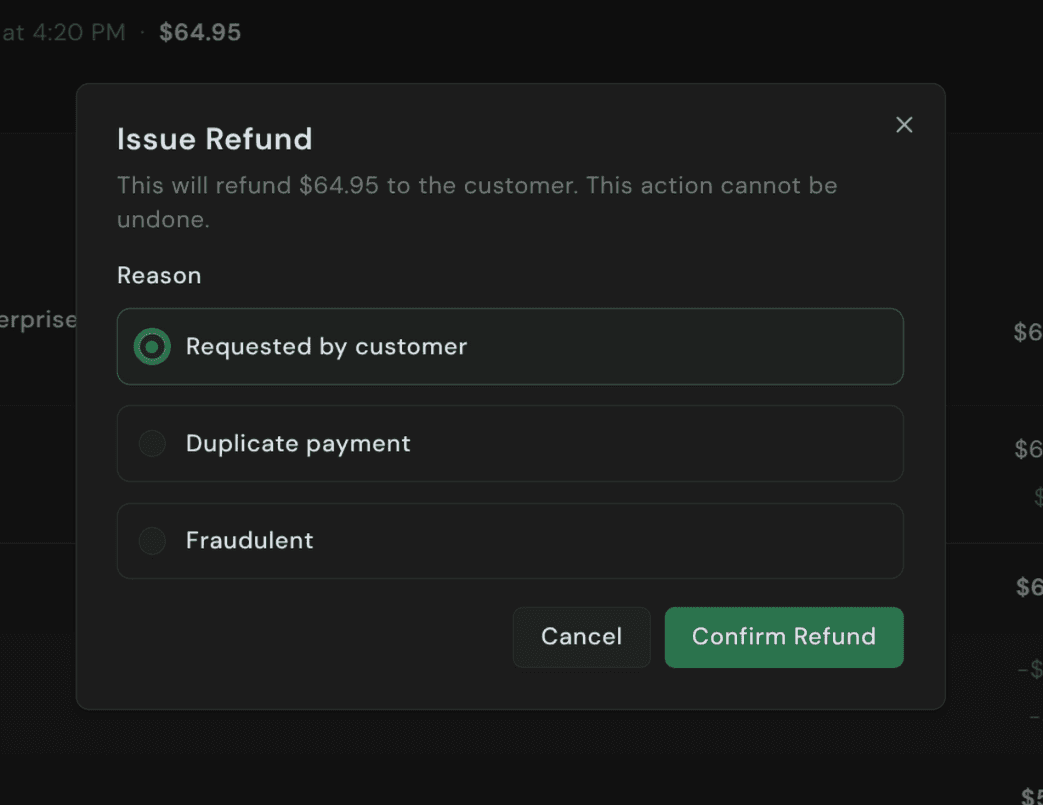
Open the payment from the Payments page and click Issue Refund in the top right. Pick a reason and confirm:
| Reason | Use when |
|---|---|
| Requested by customer | Customer asked for their money back. Most common. |
| Duplicate payment | The customer was charged twice for the same order. |
| Fraudulent | You believe the original payment was fraudulent. Flags the order for us. |
The refund leaves your available balance immediately. The customer's bank typically credits the original payment method within 5 to 10 business days.
Full refunds only
Only full refunds are supported. Refunding a payment returns the entire captured amount — partial refunds aren't available.
The order moves to Refunded, coupon usage is restored, the subscription (if any) is cancelled, and fulfillment is revoked.
Fees
The original processing and platform fees are both non-refundable when you issue a refund.
| Charge type | Refundable? |
|---|---|
| Sale amount | Yes |
| Tax collected | Yes (we remit the adjusted amount) |
| Platform fee | No — retained by Pandabase |
| Processing fee | No — retained by the network |
Effect on fulfillment
- License keys — pool entries are returned to your inventory; managed and webhook-issued licenses are revoked if you enabled "revoke on refund" on the product.
- Digital downloads & redirects — access is not automatically removed. If you serve files yourself, revoke on your end.
- Subscriptions — the underlying subscription is cancelled immediately.
What customers see
Customers get an email confirming the refund was issued, including the amount and the original payment reference. The credit shows up on their statement within 5 to 10 business days, depending on their bank.
Negative balances
If your available balance is too low to cover a refund, the refund still goes through and your balance can become negative. The shortfall is settled against your next payouts before any funds are paid out to your bank.