
Cases
Read and reply to customer support tickets for your orders.
A case is a customer support ticket for a completed order. Customers can report a missing license, broken download, or subscription issue, or ask about a refund.
Customers open cases from the Pandabase customer portal at mypandabase.com on any of their completed orders. You receive an email and a dashboard notification as soon as one is opened.
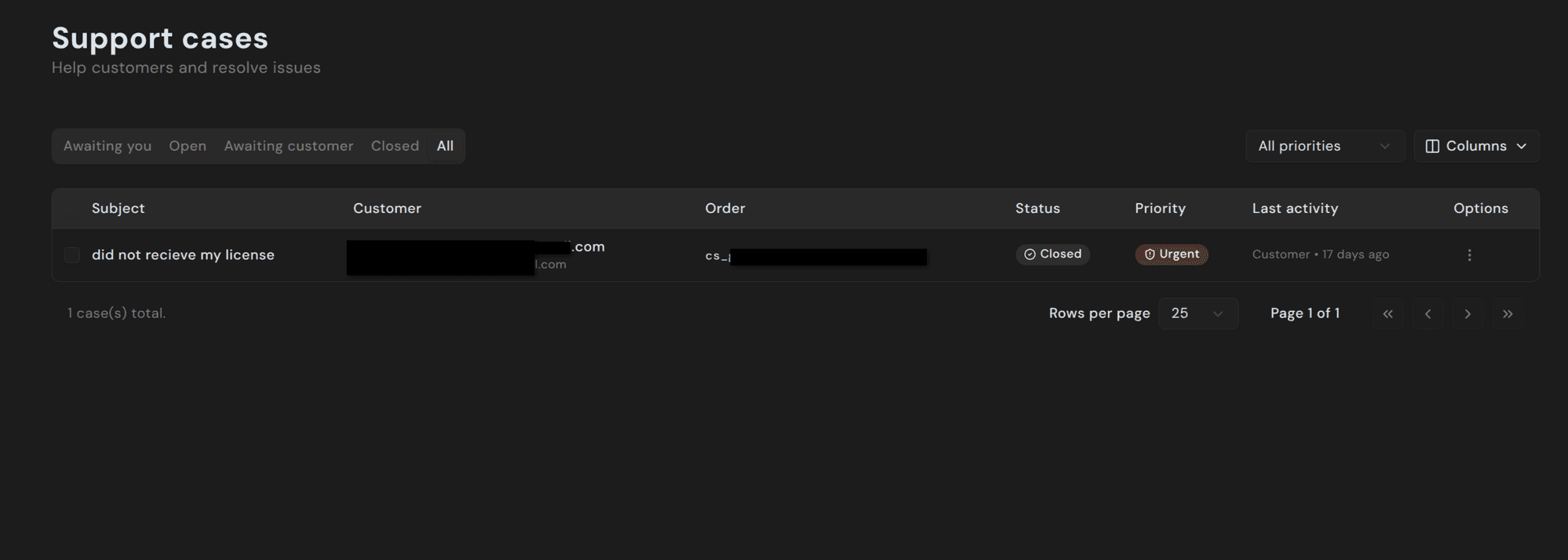
States
| State | Meaning |
|---|---|
| Awaiting you | Customer has replied and is waiting for your response. |
| Open | Case is active. Either side may reply next. |
| Awaiting customer | You've replied; waiting for the customer to come back. |
| Closed | Case is resolved. Either party can reopen. |
The tabs at the top of the list filter by state. Check Awaiting you for cases that need a reply.
Priority
Each case has a priority — Low, Normal, High, or Urgent. Customers set the initial priority when they open the case; you can change it from the dropdown at the top of the detail view.
Use priority to decide which cases to handle first. It doesn't affect SLAs or visibility to customers.
Replying
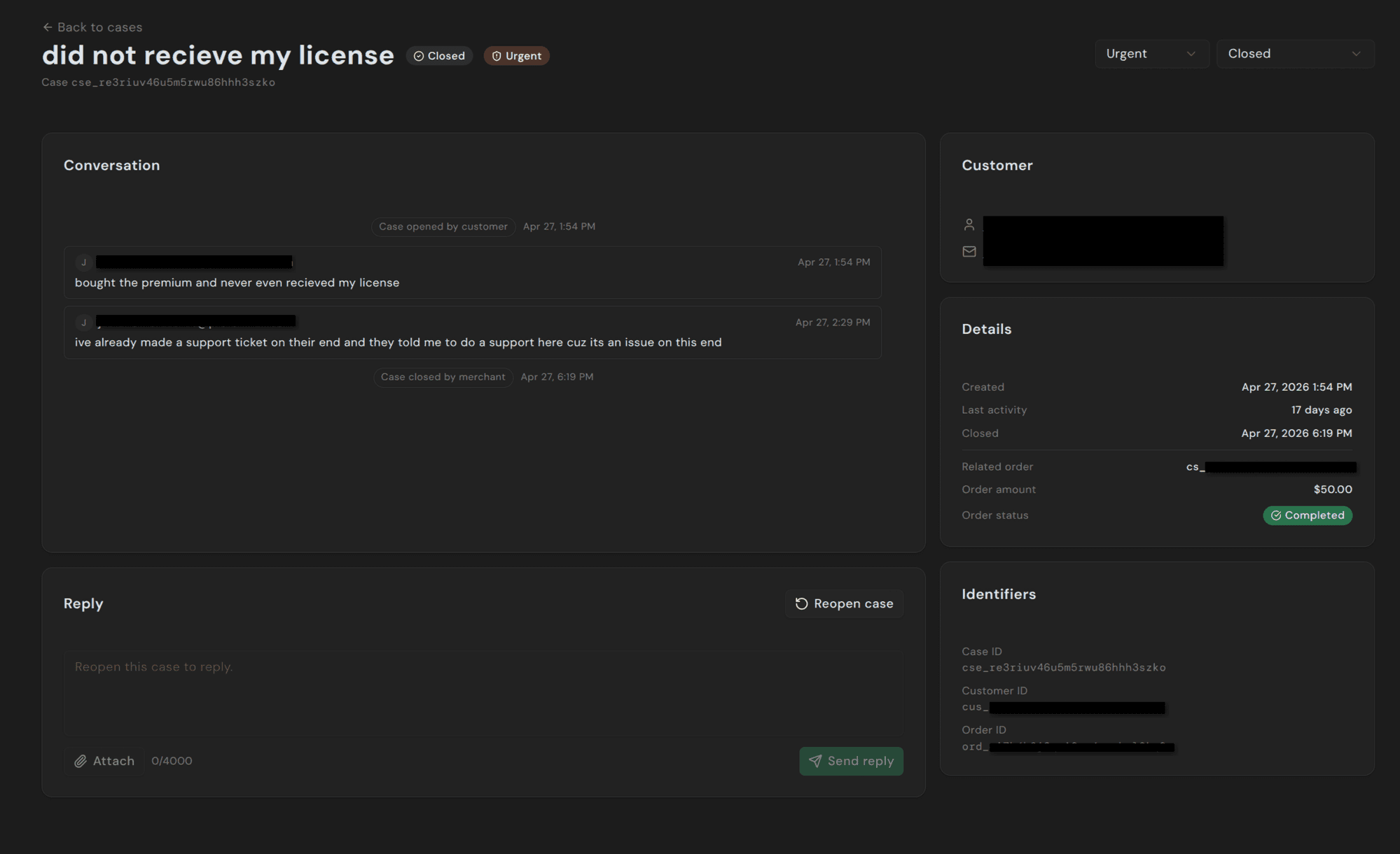
Open a case from the list and use the Reply box at the bottom. You can write up to 4,000 characters and attach up to 5 files per message. Allowed file types: images (image/*), PDF, plain text, and ZIP archives.
Sending a reply automatically:
- Emails the customer with your message
- Moves the case to Awaiting customer
- Updates the timeline
The sidebar shows the customer's name and email, case timestamps, the related order with its current status and amount, and internal identifiers for support tickets.
Closing and reopening
Use the Status dropdown at the top of the detail view to close a case once it's resolved. Closed cases stay searchable and can be reopened by either party — clicking Reopen case from the dashboard, or the customer replying from the portal.
Auto-close
Cases that sit in Awaiting customer without activity automatically close after a configurable idle period (default 14 days). The customer is emailed beforehand so they can reply if they still need help.
Auto-reply
Set an auto-reply under Settings → Cases to tell customers when to expect a response or link to known issues. It is sent when a customer opens a case.
Pandabase support intervention
Pandabase support can join cases involving disputes, refund disagreements, or fraud claims. Messages are labeled Pandabase Support and visible to you and the customer.
You don't need to invite us. We intervene when our automated signals (dispute risk, EFW match, repeated unresolved cases) suggest it would help.
Attachments
Customers can attach files to their messages too — most commonly screenshots of an error or the receipt they received. Attachments use short-lived URLs and aren't publicly indexable. The allowlist is the same as your replies: image/*, application/pdf, text/plain, application/zip.
Programmatic access
Cases are exposed via the Store API under the CASES_READ and CASES_WRITE token scopes, and through the Pandabase MCP server. List, fetch, reply, mark read, and update status — all available without the dashboard.