
Manage your account
Setting up your account, identity verification, and security.
Creating an account
Age and identity requirements
You must be at least 18 years old to open or use a Pandabase merchant account. This requirement applies worldwide, with no exceptions for parental or guardian permission.
You must register using your own legal identity and verify your account with your own government-issued ID. Opening or verifying an account using someone else's identity or ID, including a parent's or guardian's, violates this policy even if they give permission.
Example: If you're 16, you cannot open or verify an account using your parent's ID, even with their permission.
Financial and risk reviews
We may assess your financial health and, where applicable, your company's financial health before approving your account or during ongoing reviews. We may request supporting information such as bank statements, evidence of income or source of funds, financial statements, outstanding debts or liabilities, and information about your business activity and ability to cover refunds, disputes, and other payment obligations.
These reviews help us assess potential financial exposure. We may request additional information relevant to that assessment and decline, restrict, or suspend service if we cannot verify the information provided or determine that the risk is unacceptable.
Sign up
Sign up with your email address. Pandabase uses magic link authentication — no passwords. Every time you log in, we send a one-time link to your email that expires after 10 minutes.
Verification requirements
Before your store can accept payments, you need to complete these steps:
Email verification
Confirmed automatically when you sign up via magic link.
Profile information
Add your first name, last name, and country. Your country determines which payout methods are available.
Phone verification
Verify your phone number via SMS code. Your phone number's country must match your account country.
Identity verification (KYC)
Complete identity verification through our KYC provider. This typically involves uploading a government-issued ID and a selfie. Verification usually takes a few minutes.
Once all steps are complete, you can create stores and start accepting payments.
Account settings
Open Account Settings from the avatar menu in the dashboard to manage your profile, KYC documents, and security.
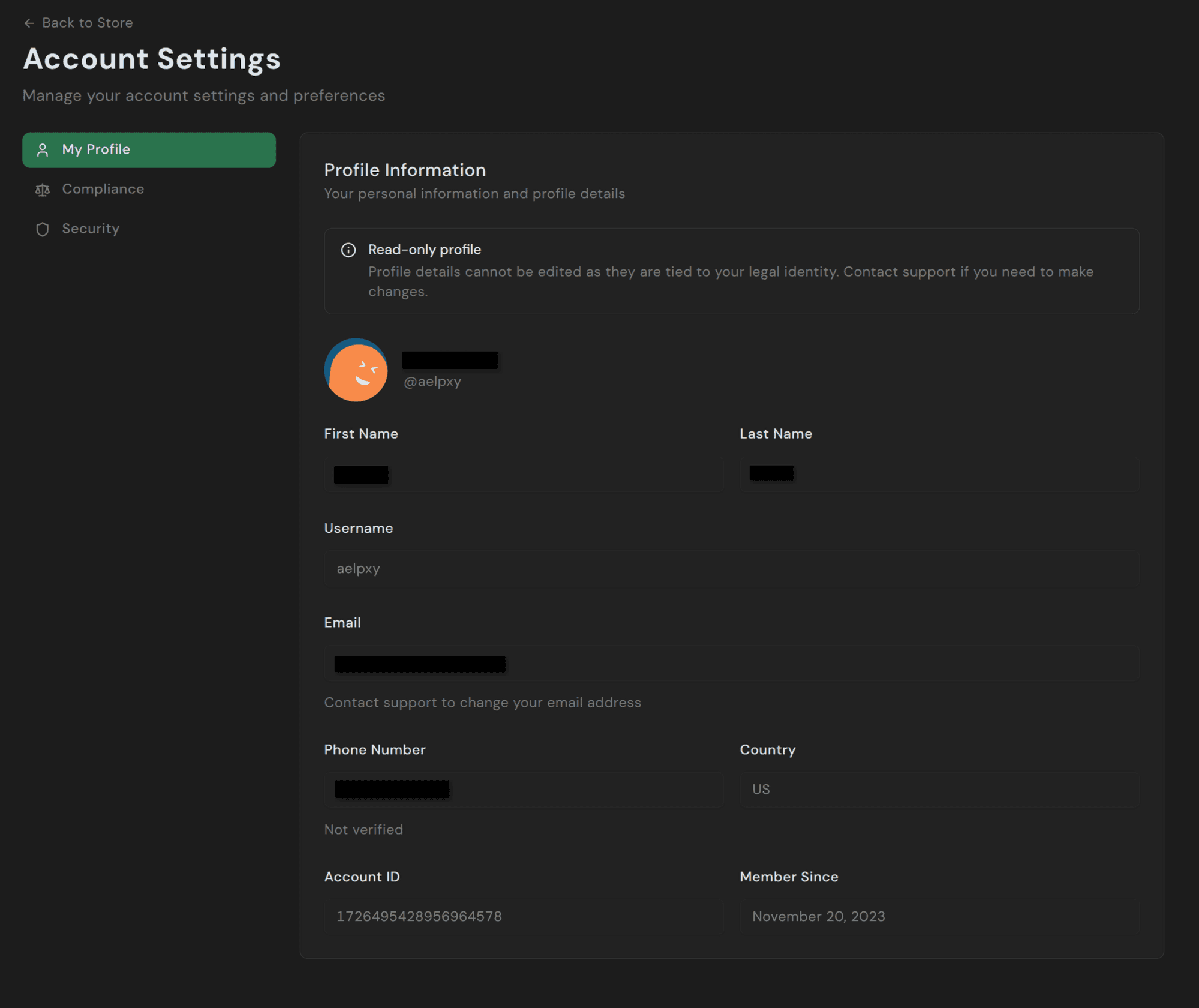
The page is split into three tabs:
- My Profile — your legal name, username, email, phone number, country, and account ID. Most fields are read-only since they're tied to your verified identity. Contact support if you need to change anything.
- Compliance — outstanding requirements, KYC documents on file, and current verification status.
- Security — 2FA setup, active sessions, and recent login activity.
Compliance
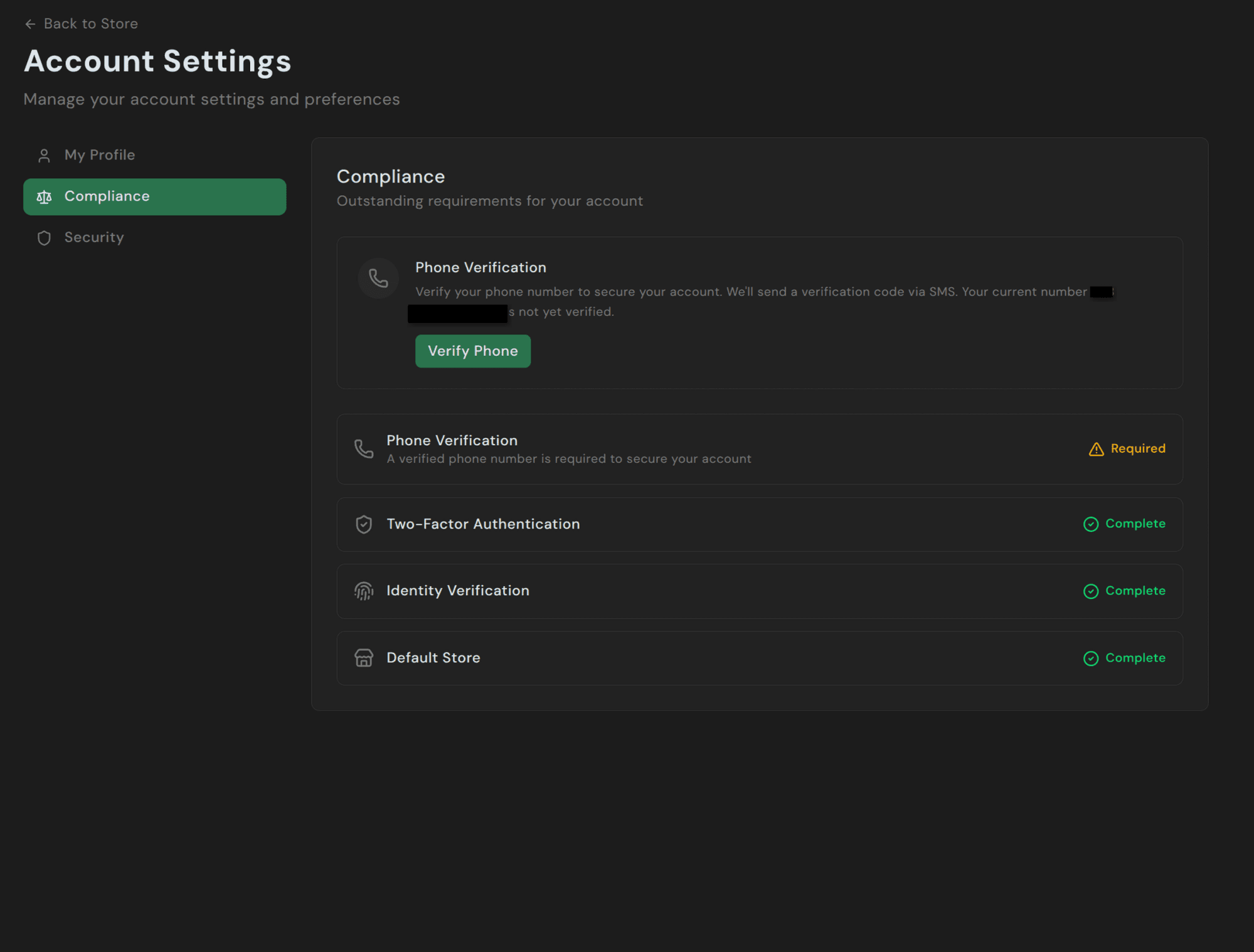
Each requirement shows its current state — Required, Complete, or a direct action button (e.g., Verify Phone). Until every item is marked Complete, your account can't receive payouts.
Security
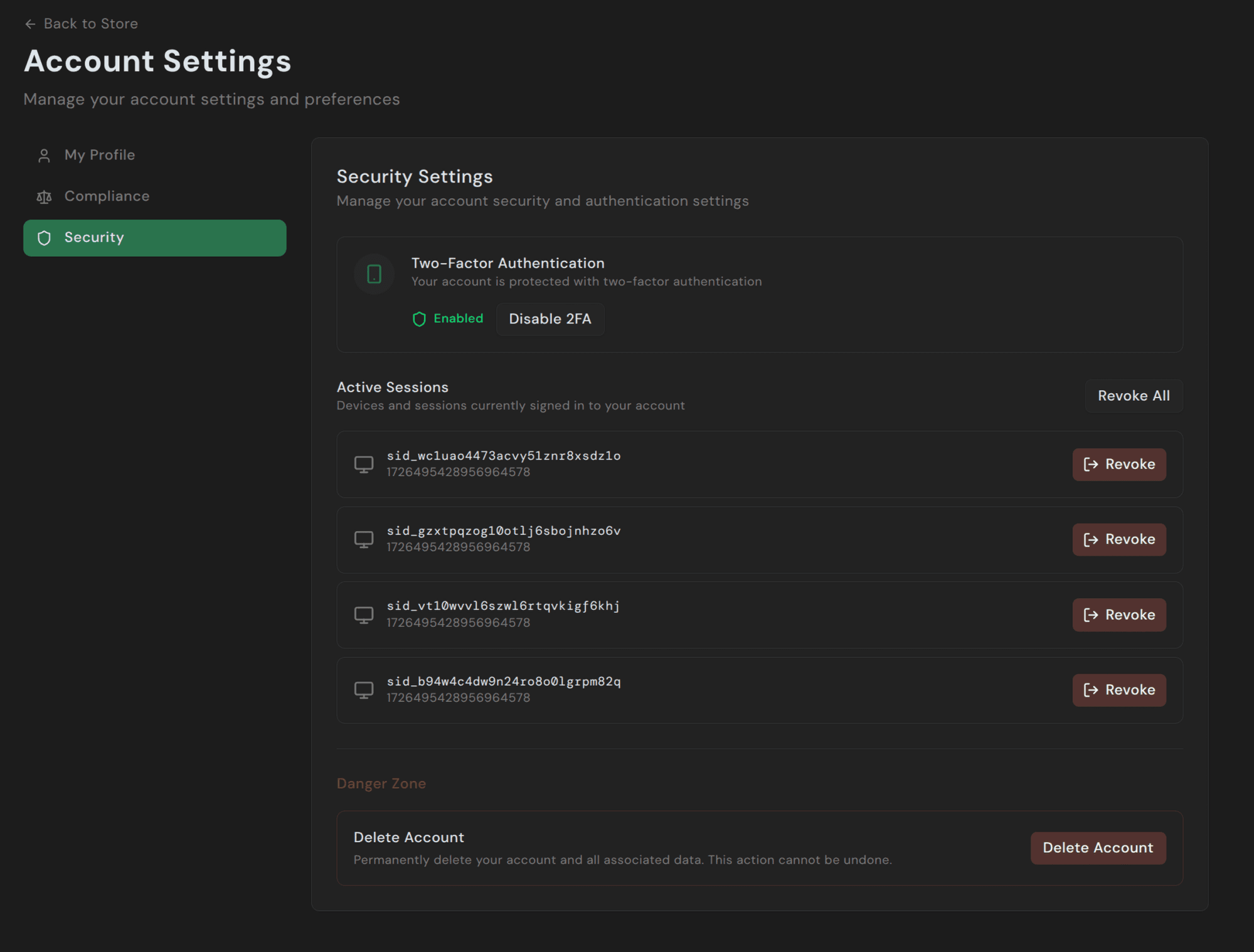
The Security tab covers three things:
- Two-Factor Authentication — enable or disable TOTP-based 2FA.
- Active Sessions — every device currently signed in to your account. Click Revoke on any row to sign that session out immediately, or Revoke All to sign out everything except your current session.
- Delete Account — request account closure. Deletion isn't a self-service action; clicking it shows a dialog directing you to email support@pandabase.io so we can confirm and process the removal manually.
Two-factor authentication
Enable TOTP-based 2FA with an authenticator app such as Google Authenticator, Authy, or 1Password.
When enabled, you'll need to enter a 6-digit code from your authenticator app each time you log in.
We strongly recommend enabling 2FA on all accounts, especially those with active stores and balances.
Sessions
Each login creates a session tied to your device and IP address. You can view all active sessions and revoke any session from the dashboard.
Sessions track:
- Device type and operating system
- Browser
- IP address
- Last active time
Account limits
| Limit | Value |
|---|---|
| Stores per account | 10 |
| Team memberships | Unlimited |
Supported countries
Pandabase is available to merchants in the following countries:
Americas: Canada, United States
Europe: Austria, Belgium, Croatia, Cyprus, Czech Republic, Denmark, Estonia, Finland, France, Germany, Great Britain, Greece, Hungary, Ireland, Italy, Latvia, Lithuania, Luxembourg, Malta, Netherlands, Norway, Poland, Portugal, Romania, Slovakia, Slovenia, Spain, Sweden, Switzerland, Turkiye
Asia-Pacific: Australia, Hong Kong, India, New Zealand, Philippines, Singapore, Taiwan, Thailand
Middle East: Israel, Qatar, United Arab Emirates
Africa: Morocco