
Payouts
How payouts work, supported countries, and fees.
Pandabase pays out directly to your bank account. Once your identity is verified and a bank account is added, you can request payouts from your store's available balance.
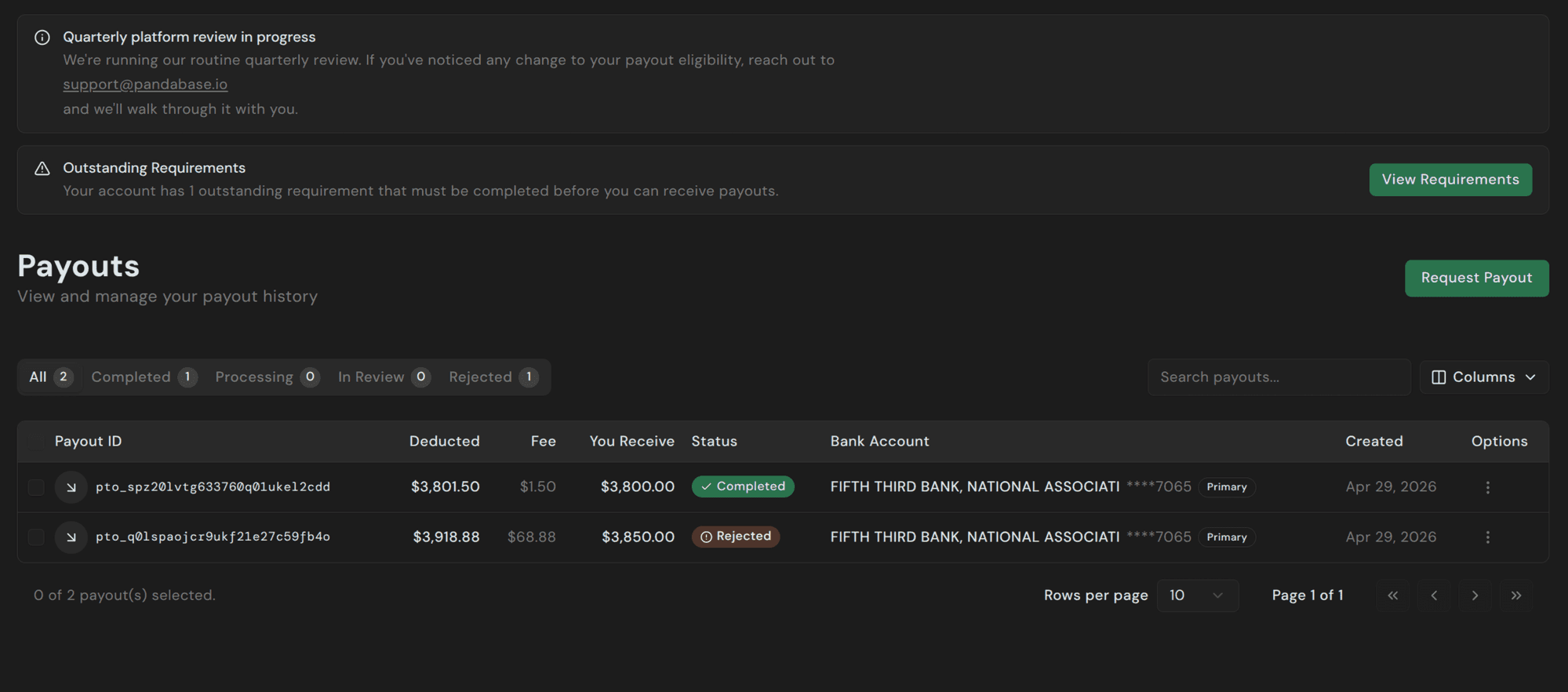
Payouts are processed in batches on Monday, Wednesday, and Friday. Requests submitted between batches queue up and go out in the next batch.
Some payouts are approved immediately. Others are processed in the next scheduled batch. Queued requests are processed automatically.
Minimum
The minimum payout amount is $50.00 in all countries.
Fees
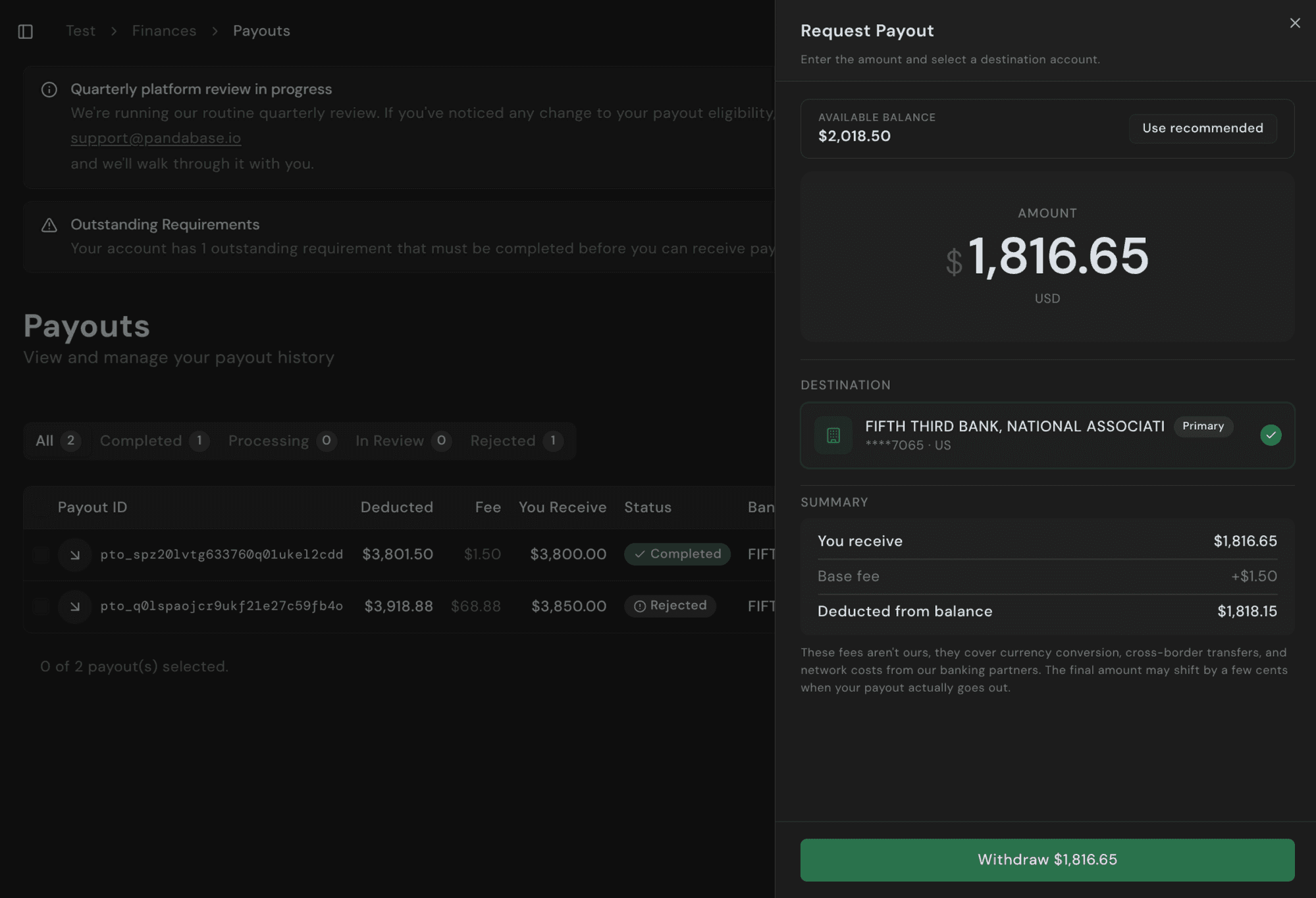
Fees are calculated at the time you request a payout and depend on your bank's country, currency, and the rails used. Every payout has a $1.50 base fee; non-US destinations also incur cross-border and currency conversion fees.
The exact fee breakdown is shown in the Request Payout panel before you confirm — including what you receive, the base fee, and the total deducted from your balance.
Supported countries
Payouts are available everywhere we support stores. Local rails (ACH, SEPA, BECS, FPS, NEFT/IMPS) are used where available; remaining destinations settle over SWIFT.
Americas: 🇨🇦 Canada, 🇺🇸 United States
Europe: 🇦🇹 Austria, 🇧🇪 Belgium, 🇭🇷 Croatia, 🇨🇾 Cyprus, 🇨🇿 Czech Republic, 🇩🇰 Denmark, 🇪🇪 Estonia, 🇫🇮 Finland, 🇫🇷 France, 🇩🇪 Germany, 🇬🇧 Great Britain, 🇬🇷 Greece, 🇭🇺 Hungary, 🇮🇪 Ireland, 🇮🇹 Italy, 🇱🇻 Latvia, 🇱🇹 Lithuania, 🇱🇺 Luxembourg, 🇲🇹 Malta, 🇳🇱 Netherlands, 🇳🇴 Norway, 🇵🇱 Poland, 🇵🇹 Portugal, 🇷🇴 Romania, 🇸🇰 Slovakia, 🇸🇮 Slovenia, 🇪🇸 Spain, 🇸🇪 Sweden, 🇨🇭 Switzerland, 🇹🇷 Turkiye
Asia-Pacific: 🇦🇺 Australia, 🇭🇰 Hong Kong, 🇮🇳 India, 🇳🇿 New Zealand, 🇵🇭 Philippines, 🇸🇬 Singapore, 🇹🇼 Taiwan, 🇹🇭 Thailand
Middle East: 🇮🇱 Israel, 🇶🇦 Qatar, 🇦🇪 United Arab Emirates
Africa: 🇲🇦 Morocco
New bank accounts
A new bank account enters an In Review state for 2 to 3 business days while we verify the details and run compliance checks. You can't request payouts during the review. We'll email you once it's approved.
After approval, your first payout has a 7 to 14 day waiting period before settlement, for risk mitigation. This applies to every new bank account, including replacement accounts after you change details.
Settlement times
Subsequent payouts settle within 1 to 5 business days, depending on your country. Local transfers typically clear in 1 to 2 business days; international wires take 3 to 5.
Settlement times vary. Bank holidays, compliance reviews, and bank processing schedules can delay a payout.
Individual payout requests may be held for review. You'll receive an email with the status of your request.
Failed or returned payouts
If a payout is rejected by your bank (wrong details, closed account, compliance hold on the receiving side), our reconciliation and batch system automatically returns the funds to your available balance within 15 days. In some cases it can take up to 30 days. The funds are returned automatically.
Once the funds are back in your balance, fix the bank details and request a new payout.
Payout hasn't arrived?
Wait at least 5 business days from when the payout was marked as paid. Banks sometimes hold incoming funds even after the payout shows Completed in your Dashboard, and the deposit usually arrives within this window.
If it still hasn't arrived, contact your bank first — they have the most direct view of incoming transfers. Ask them to trace the transfer using these details:
- Trace ID
- Amount
- Date the payment was initiated
- Your bank's name
- Last four digits of your account number
If your bank can't locate the funds, ask them for a written statement confirming this and send it to support with the payout ID. We'll then investigate further with our payout provider.