
Bank accounts
Connect bank accounts to receive payouts from your store.
Pandabase pays out to the bank accounts you connect under Finances → Bank Accounts. You can have multiple accounts on file and mark one as Primary to use by default.
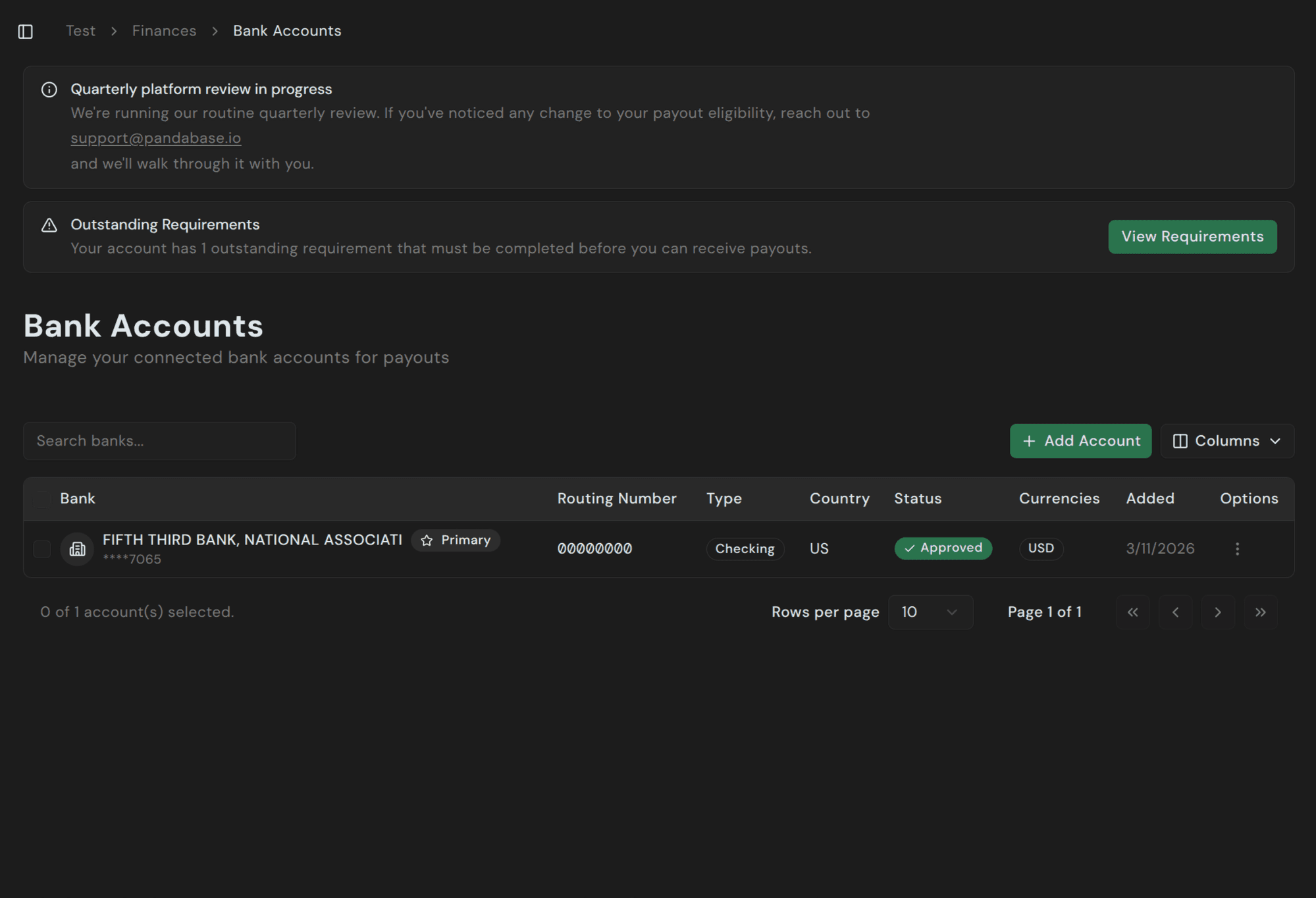
Adding an account
Click + Add Account and fill in your bank details. The form adapts to your store's country — US merchants enter an ABA routing number; UK accounts use sort codes; EU/EEA accounts use IBANs; and so on.
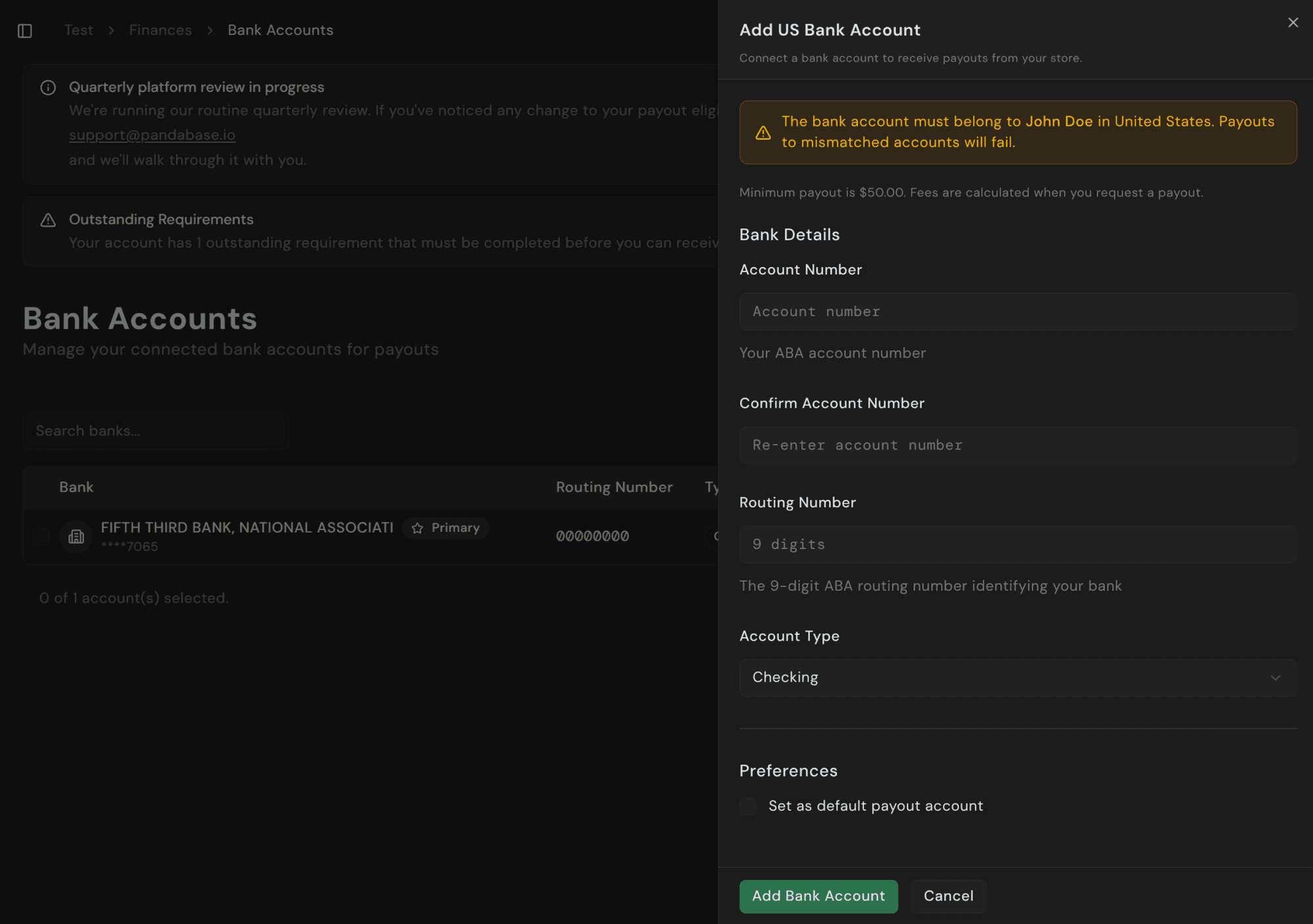
The bank account must belong to the verified account holder for your Pandabase account, in the country you're verified in. Payouts to mismatched accounts will fail and the funds will be returned, but the process can take days.
The bank account's country must match the country of the ID you verified with. For example, if you verified with a US ID, you can only connect a US bank account.
Fields by country
| Country | What you need |
|---|---|
| US | Account number, 9-digit ABA routing number, account type |
| UK | Account number, 6-digit sort code |
| EU / EEA | IBAN |
| Canada | Account number, transit number, institution number |
| Singapore | Account number, bank code, branch code |
| Turkiye | IBAN, SWIFT/BIC code |
| Other | IBAN or local equivalent — SWIFT for international rails |
Select Set as default payout account to make this your primary account. The previous account stays connected.
Verification
New accounts enter an In Review state for 2 to 3 business days while we verify the details with your bank and run compliance checks. You can't request payouts to an account during the review.
Once approved, the status changes to Approved and the account is eligible to receive payouts.
First payout waiting period
Your first payout to any newly approved account has a 7 to 14 day waiting period before settlement. This hold reduces payout risk and applies to every new account, including replacements.
Managing existing accounts
From the row's options menu you can:
- Set as primary — promote a different account to default.
- Edit — update non-identifying fields (label, preferences). Account/routing numbers can't be edited; remove and re-add to change them.
- Remove — disconnect the account. Pending payouts to that account aren't affected; new requests can't target it.
You always need at least one approved account on file to receive payouts.
Currencies
Each bank account has a settlement currency tied to its country — USD for US, GBP for UK, EUR for EU/EEA, and so on. Your store's balance is in USD; payouts are converted to the destination currency at request time, and the FX rate is included in the fee breakdown shown before you confirm.